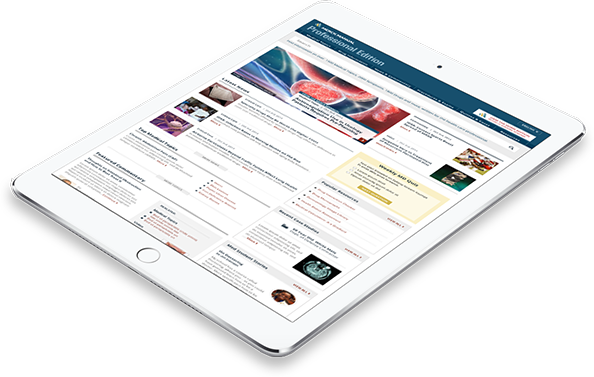



Choose the version that best meets your needs

- 1000s of Topics
- “How-To” Videos
- Numerous Photos
- Clinical Calculators
- Quizzes
- 3D Models
- Case Studies, News and Editorials

- 1000s of Topics
- 100s of Animations
- Numerous Photos and Illustrations
- Self-Assessment Tools
- Quizzes
- 3D Models
- Common Medical Tests

- 1000s of Topics
- Dozens of Species
- Numerous Videos and Photos
- Clinical Calculators
- Quizzes
- Reference Guides
- Case Studies, News and Editorials

Our mission is simple:
The Manuals, known as the Merck Manuals in the United States and Canada and MSD Manuals outside the United States and Canada, are one of the world’s most widely used medical information resources. The Manuals are committed to making the best current medical information accessible to health care professionals and patients on every continent.
We believe that health information is a universal right and that every person is entitled to accurate and accessible medical information. We have a responsibility to protect, preserve and share the best current medical information to enable more informed decisions, enhance relationships between patients and professionals, and improve health care outcomes around the world.
That’s why we are making the Merck Manuals and the MSD Manuals available for free in digital form in multiple languages to professionals and patients around the world.
Merck and the Merck Manuals
At Merck (known as MSD outside the United States and Canada) we are unified around our purpose: We use the power of leading-edge science to save and improve lives around the world. For more than 130 years, we have brought hope to humanity through the development of important medicines and vaccines. We aspire to be the premier research-intensive biopharmaceutical company in the world – and today, we are at the forefront of research to deliver innovative health solutions that advance the prevention and treatment of diseases in people and animals.
First published in 1899 as a small reference book for physicians and pharmacists, The Merck Manual grew in size and scope to become one of the world's most widely used comprehensive medical resources for professionals and consumers. As The Manual evolved, it continually expanded the reach and depth of its offerings to reflect the mission of providing the best medical information to a wide cross-section of users, including medical professionals and students, veterinarians and veterinary students, and consumers. Learn more about our commitment to Global Medical Knowledge.